
Bank Account - FAQs
Frequently asked questions about connecting bank accounts to the right entity, moving them, renaming them, and sorting out duplicates.
How do I assign a bank account to an entity?
A bank account is connected by whoever holds it, then assigned to one of that person's entities. Until it's assigned, the account exists in Prosaic but its transactions have nowhere to post.
- Go to Clients and open the client.
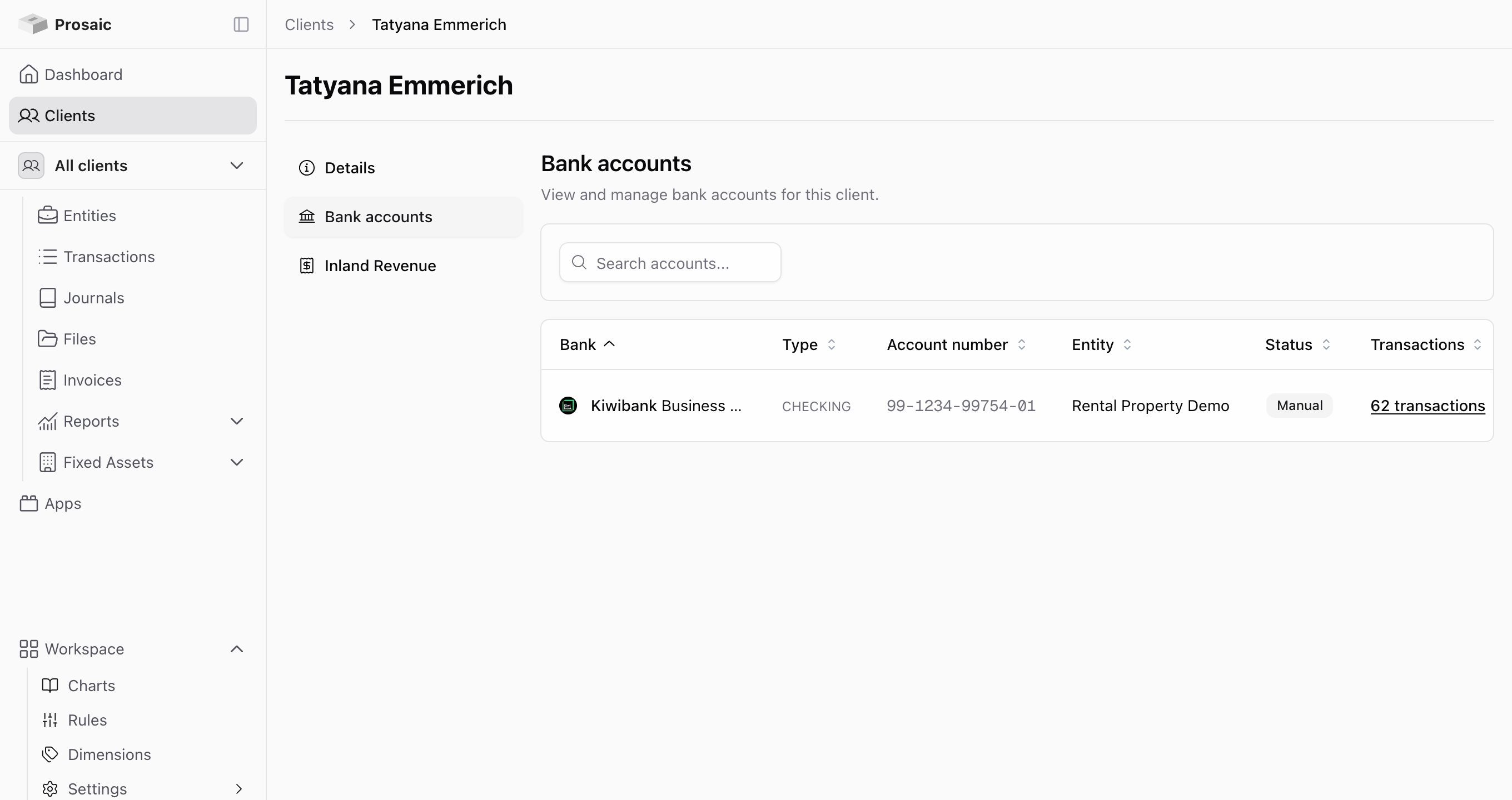
- Find the bank account in the client's bank accounts list.
- Select Assign entity.
- Choose the entity and confirm.
Can I connect my own bank accounts?
Yes. Any workspace user (Owner, Admin or Advisor) can connect the accounts they hold themselves, under their normal work login. You no longer need to invite yourself as a client on a second email address.
- Open the menu at the bottom left of the sidebar and choose My bank accounts.
- Select Add bank account and authorise your bank through Akahu.
- Open the entity the accounts belong to, or create it, and turn on Show my bank accounts at the foot of its Bank Accounts list.
- Tick your accounts in the Bank Accounts list, confirm the prompt, and save.

Attaching one of your own accounts makes it visible to everyone who can access that entity, not just you. If the feed needs to stay private from the rest of the practice, see How do I create a private entity for practice staff?
Full walkthrough: How to Connect Bank Accounts to Prosaic.
Why can't I see any entities to assign to?
The assign dialog only offers entities that belong to that client. If it shows No entities, the client doesn't have one yet. Create the entity first, then come back and assign the account.
Where do I see which accounts an entity already has?
Go to Entities, open the entity, and look at Bank accounts. That page lists the entity's connected accounts, along with any disconnected accounts still holding historical transactions.
Clicking through to an individual account shows its imported transactions and any manual journals posted against it, which is the quickest way to work out why a statement balance looks wrong.
I've assigned an account and nothing happened
If Prosaic tells you the account "was not assigned, it may already be linked", the account is already attached to an entity. Check the entity's bank accounts page before assigning again.
Can one bank account be used by more than one entity?
An account is assigned to a single entity, which keeps each entity's ledger clean. If a client genuinely runs two entities through one account, reconcile in the entity that owns the account and move the other entity's share across with a journal.
We reconnected an account and now every transaction appears twice
This usually means the client has revoked access to their original bank connection and the bank account came in as a new account alongside the old one, rather than reconnecting the existing one, so the same transactions have been imported under both.
Check the entity's bank accounts page. If you can see the same bank account listed twice, one connected and one disconnected, that's what's happened. Don't reconcile the duplicates, and don't delete anything yourself. Contact us and we'll merge the accounts and remove the duplicated transactions.
Reconnecting through the existing account, rather than adding the account again, is what avoids this. See How do I reconnect inactive bank accounts.
I had manually imported transactions, then connected the same account live, and now I've got duplicates
This happens when you've reconciled a period from manually imported statements (say, April and May), then connect that same real-world bank account through open banking afterwards. The live connection fetches the bank's available transaction history, which reaches back before the manual import stopped, so it comes in as a second, connected bank account holding the same transactions as your manual one.
Moving the conversion date forward to hide the overlap doesn't fix this cleanly. The conversion date applies to the whole account, so it hides the manually imported transactions you've already reconciled as well, not just the new duplicates.
✅ Instead, leave the conversion date where it was, and delete the overlapping transactions from the newly connected account.
- Leave the conversion date as originally set (e.g. 1 April), covering the period you imported manually.
- Go to Entity → Bank Accounts and open the newly connected account.
- Select the transactions that duplicate your manual import (the same date range, e.g. April and May) and choose Delete.

Deleting isn't permanent, the lines are just hidden from bank rec and reports and ignored during the daily sync, and can be restored later if needed. See How do I delete bank statements or transactions.
Going forward, the connected account picks up new transactions as normal, alongside the manually reconciled history that's already there. See Bank Accounts – Opening Balance, Conversion Dates and Statement Balance for more on how conversion dates work.
This is a different situation from the one above: there, the same live connection has ended up listed twice by accident and Prosaic needs to merge it for you. Here, you've deliberately got a manual account and a connected account covering the same real-world bank account, so clearing the overlap yourself is the right fix.
There's a disconnected account I can't remove
Disconnected accounts are kept on purpose, because their historical transactions are still part of the entity's ledger and may be needed for audit. Disconnecting stops the feed; it doesn't remove the history.
To remove an account and its transactions from Prosaic entirely, email help@prosaic.works.
Why did a client's bank account disconnect on its own?
Connections drop for a few ordinary reasons: the client changed their internet banking password, the bank's consent expired, the client revoked access, or the bank has moved to open banking and the old connection has been retired.
The account stays in Prosaic with its history intact, and the client reconnects it themselves. See Bank Connections - Troubleshooting Guide for how to work out which of these it was.
Can I rename a bank account?
Yes. On the entity's bank accounts page, open the actions menu on the account and choose Rename. The name you set is what appears through the rest of Prosaic, which helps when a client has several accounts at the same bank.
How do I add a bank account that isn't in Prosaic yet?
See How do I add new bank accounts. If the bank isn't available for a live feed, you can still bring the data in by importing statements manually. See How do I import bank transactions manually for a client?.
Need help?
If an account is assigned to the wrong entity, or you think transactions have been duplicated, don't unpick it yourself. Use the 💬 button in the app or email help@prosaic.works and we'll sort it out.