
What's New - December 2025
December was a big month for Prosaic. We’ve released some of our most requested features, just in time for Xmas 🎁 - including fixed assets, automated multi-entity accounting, smarter chart templates, faster reconciliation, and major reporting upgrades.
Here’s what’s new 👇
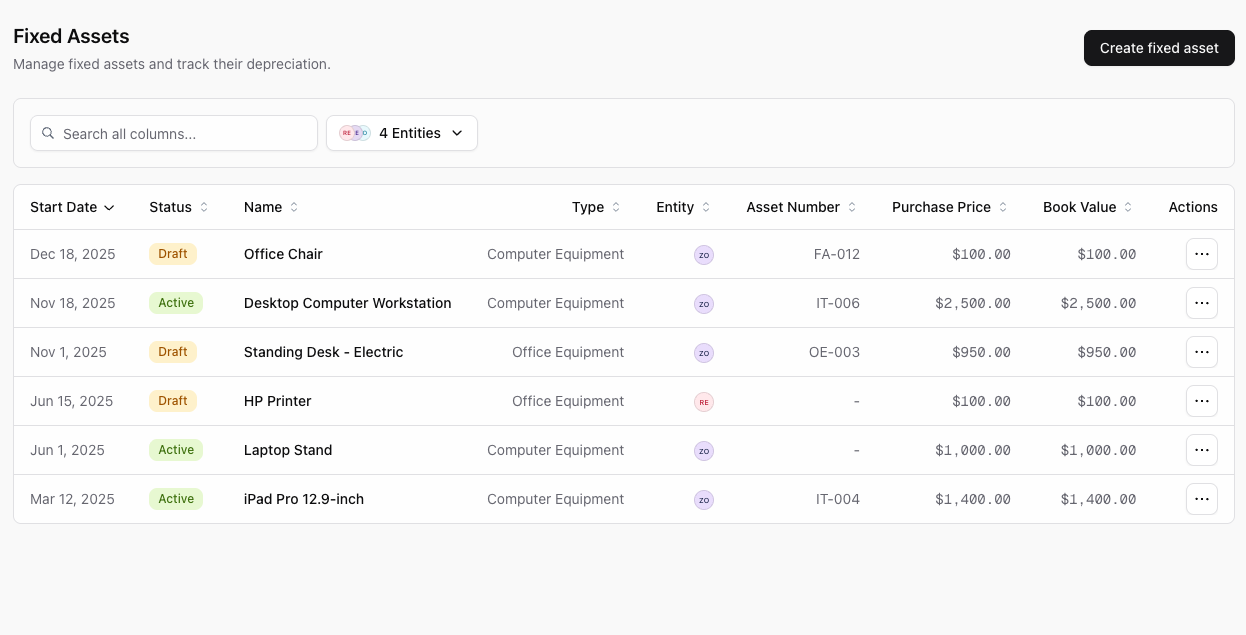
🧾 Fixed Assets — V1
Fixed assets has officially landed in Prosaic 🎉
You can now:
- Create and manage asset types
- Draft, activate, dispose, and delete assets
- Automatically create draft assets during bank reconciliation
- Run depreciation directly in Prosaic
This first release is designed to handle the core workflows cleanly, with more depth coming soon.
Read full guide and watch video intro to fixed assets here

Coming next
- Additional depreciation methods (we currently support straight line only) and refinements (eg 20% investment boost)
-
Fixed asset & depreciation reports, ready for year end
🔁 Multi-Entity Automation
Prosaic now supports automated multi-entity accounting — without needing to use tracking categories or entering manual journals
You can now:
- Assign, split, or transfer transactions between entities
- Split a single transaction across multiple related entities
- Work with mixed-use bank accounts under one entity
Read full article and watch intro video on multi-entity here

Prosaic automatically:
- Generates matching, linked inter-entity receivable and payable accounts
- Splits or assigns transactions automatically into the correct inter-entity accounts, and any target entity accounts (eg "Telephone & Internet")
- Keeps entities balanced and traceable behind the scenes

This makes it easy to:
- Manage multiple rental properties, with mixed use bank accounts eg
- Connect any mixed use bank accounts under one entity
- Use a single chart template, which will stay in sync
- Assign transactions between rentals to produce individual P&L and (coming soon) consolidated reports
- Split transactions from a personal entity into trading entities (e.g. consulting + rental)
- View reports by entity
Coming next
- Consolidated reporting:
- Combine multiple entities into a single P&L or Balance Sheet
- Compare entities side by side
🧠 Smart Chart Templates
Charts are now far more flexible — without losing consistency.
- Changes to chart template now propagate to all entities using that template, so you can keep all your client charts in sync, automatically
- Entity charts can be customised, to including:
- Renaming template accounts
- Hiding accounts that aren’t relevant
- Adding entity-only custom accounts
This makes it much easier to maintain standard charts at scale while allowing practical, entity-level flexibility.
Read article and watch full video on smart chart templates here


⚡ Group Actions for Faster Reconciliation
Reconciling at scale just got a lot faster.
- The Unreconciled screen now groups suggestions (AI predictions and memory) by common account codes
- Quickly filter and bulk-reconcile common expenses like telephone, internet, or software
- Works across large volumes of transactions and across clients (eg group residential rental properties and reconcile all utilities for multiple clients at the same time)

📊 Reporting Improvements
We’ve made reporting deeper, more connected, and easier to share.
- Added a comprehensive General Ledger report
- Other reports now click through directly to GL detail
- Reports can be exported to PDF or Excel
- Reports can be shared by email directly from Prosaic
Read full article on reporting and watch intro video here


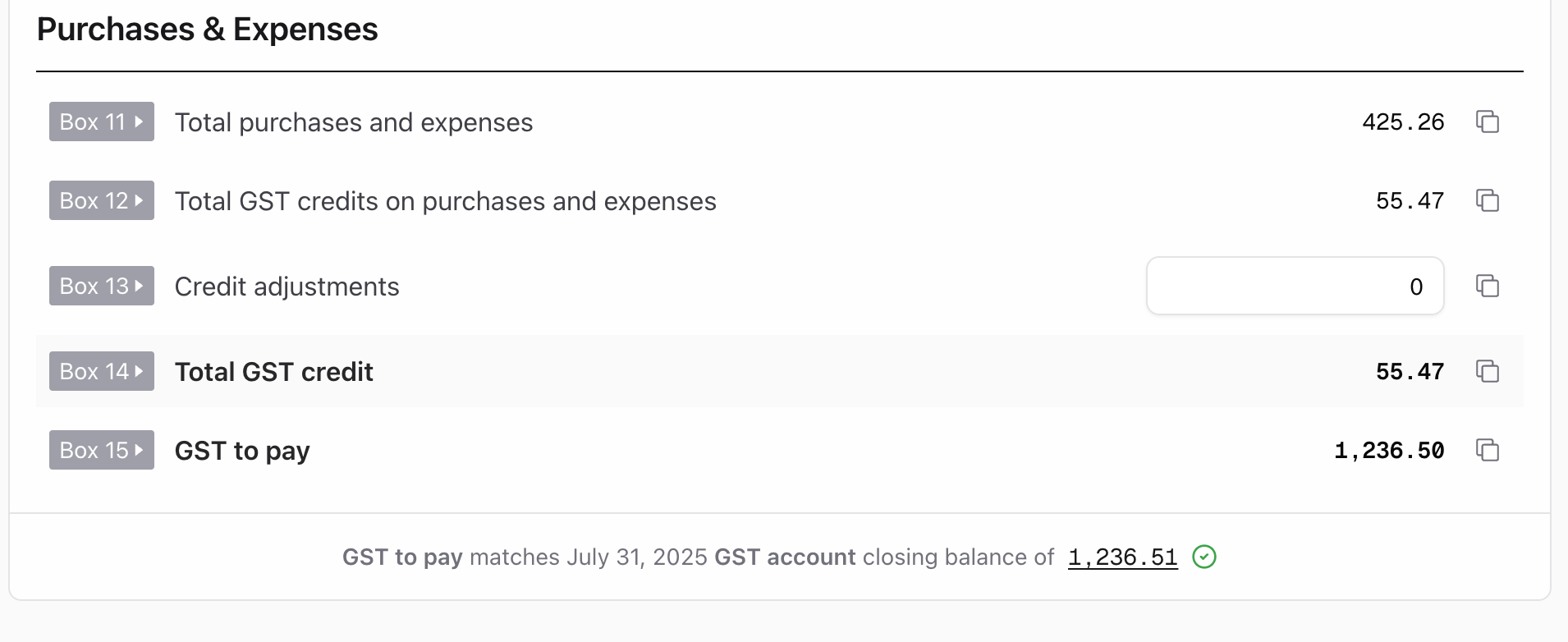
We've also added a clever GST audit to GST returns, enabling you to instantly see whether your clients GST to pay (or refund) for the period, matches the closing balance of the GST account in the general ledger for the same period
🔮 What’s Coming Next
We’re already working on:
- Consolidated reporting across multiple entities
- More fixed asset reporting and depreciation options
- Ability to set workspace users to view certain entities and clients
As always, thanks for the feedback — it continues to shape what we build next.