
Connecting Bank Accounts to Prosaic
There are two ways to bring bank transactions into Prosaic:
- Connect bank accounts using Open Banking (recommended)
- Import bank statements manually
Connect Bank Accounts Using Open Banking
A client's bank accounts are connected through the client onboarding process. Accounts you hold yourself are connected under your own login (see the tip below).
To connect a bank account:
- Invite a client using the Client Signup Link or send a client invitation from Prosaic.
- The client completes onboarding and connects one or more bank accounts using Akahu.
- The connected bank accounts will appear within the client profile in Prosaic.
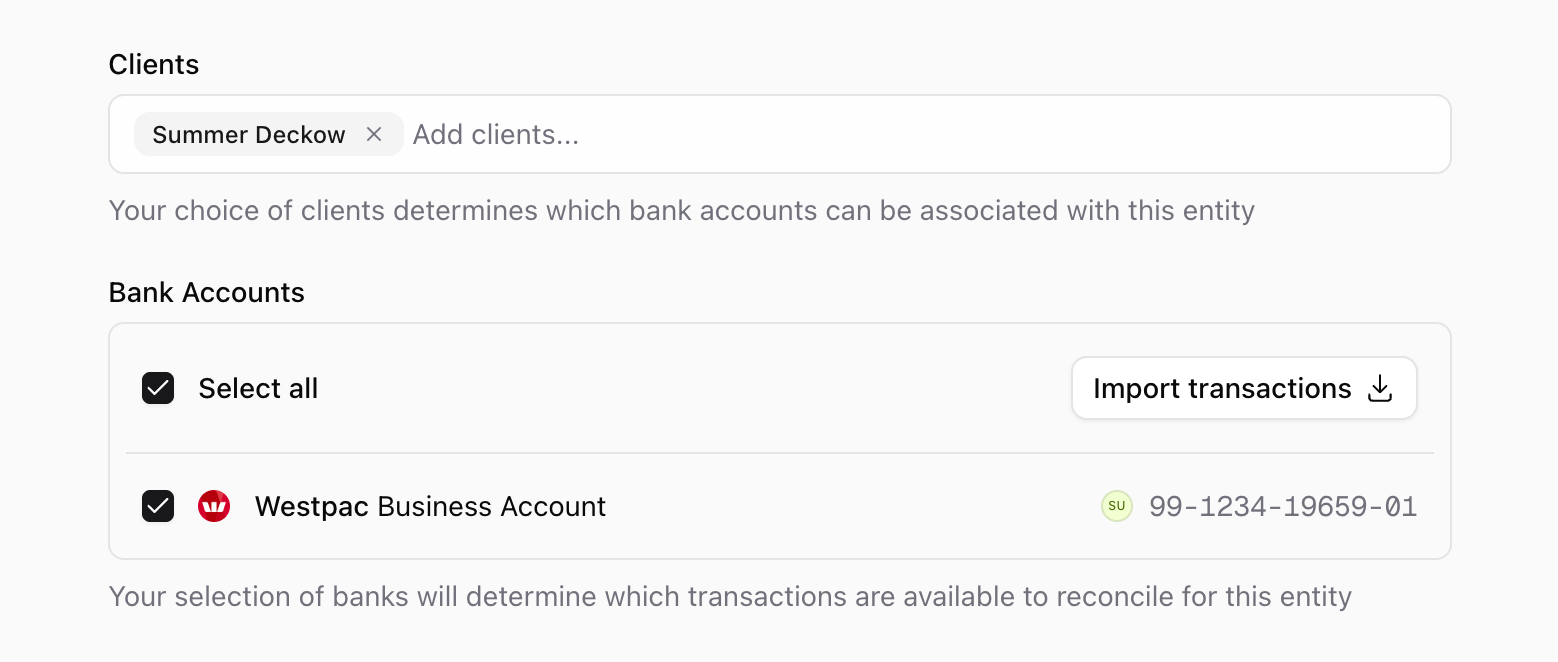
- You can then assign those bank accounts to an entity.
When a bank account is assigned to an entity, Prosaic automatically creates the corresponding bank account asset and begins importing transactions into that entity.
Creating Entities First
You can create an entity before connecting any bank accounts.
Many practices will:
- Create the client.
- Create the entity.
- Connect bank accounts through client onboarding.
- Assign the connected bank accounts to the entity.
Once assigned, the bank account becomes part of the entity and Prosaic will automatically reconcile imported transactions against that entity's ledger.
Using Prosaic with Your Own Bank Accounts
If you're an accountant or bookkeeper and want to connect bank accounts you hold yourself, use your normal work login. Choose My bank accounts from the menu at the bottom left of the sidebar, then Add bank account, and authorise your bank through Akahu.
To bring those transactions into a set of books, open the entity, turn on Show my bank accounts at the foot of its Bank Accounts list, and select the accounts. Everyone who can access that entity can then see the account and its transactions.
Inviting yourself as a client on a second email address is no longer necessary. See How to Connect Bank Accounts to Prosaic.
Import Bank Transactions Manually
If you don't want to connect bank accounts through Open Banking, you can import transactions manually.
- Add a client (skip the 'send invite' option)
- Create an entity.
- Open the entity and select Bank Accounts → Import Bank Transactions.
- Upload a CSV file from your bank.
This approach is ideal for historical data, catch-up work, or clients who do not wish to connect their accounts directly.