
Customer credit, overpayments and refunds (Beta)
When a customer pays more than they owe, Prosaic keeps the extra as their credit. You can apply that credit to a later invoice, or refund it when the money goes back to them. This article covers how credit is created, where to find it, and how to use or refund it.
This is part of the accounts receivable Beta. Read Accounts receivable (Beta) for how to get it and what changes when it's on.
- How credit is created
- Finding a customer's credit
- Applying credit to an invoice
- Refunding credit
- Questions
How credit is created
Credit comes from money a customer paid that no invoice took. That happens when:
- a payment is more than the invoices you matched it to. The drawer says, for example, Kauri & Co Architects paid $275.00 more than they owe. The extra is kept as credit for a later invoice.
- you Record payment on an invoice for more than the amount due.
- you Unapply a payment from an invoice. The money goes back to the customer's credit.
By default credit is held in Accounts Receivable, with no GST. If you'd rather hold it somewhere else, such as an Income in advance account, choose the account under Hold the credit in in the drawer before you reconcile. You can also pick a tax code for it. When the credit is later applied or refunded, Prosaic moves it back through Accounts Receivable for you.
Credit belongs to the entity that received the money. If you invoice the same customer from two entities, credit received by one can't pay the other's invoices.
Finding a customer's credit
Credit shows up in several places:
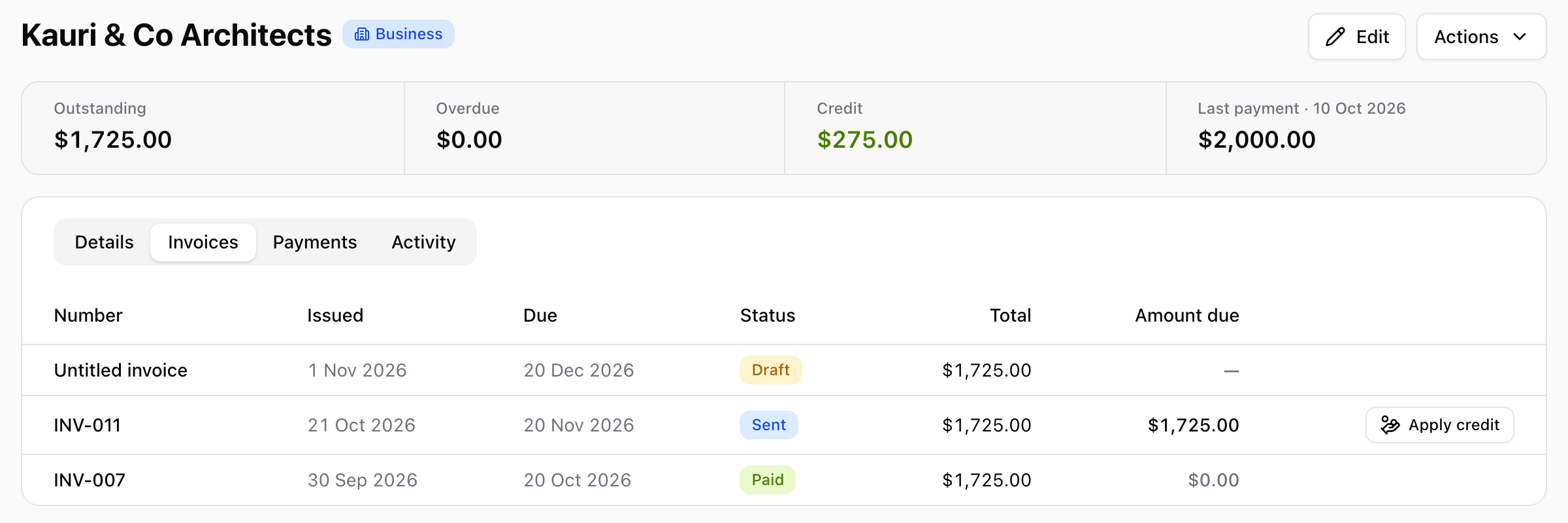
- The contact page shows a Credit figure in green beside Outstanding and Overdue. When more than one entity holds credit for the customer, it shows each entity's share.
- Workspace → Contacts gains a Credit column whenever any contact has credit.
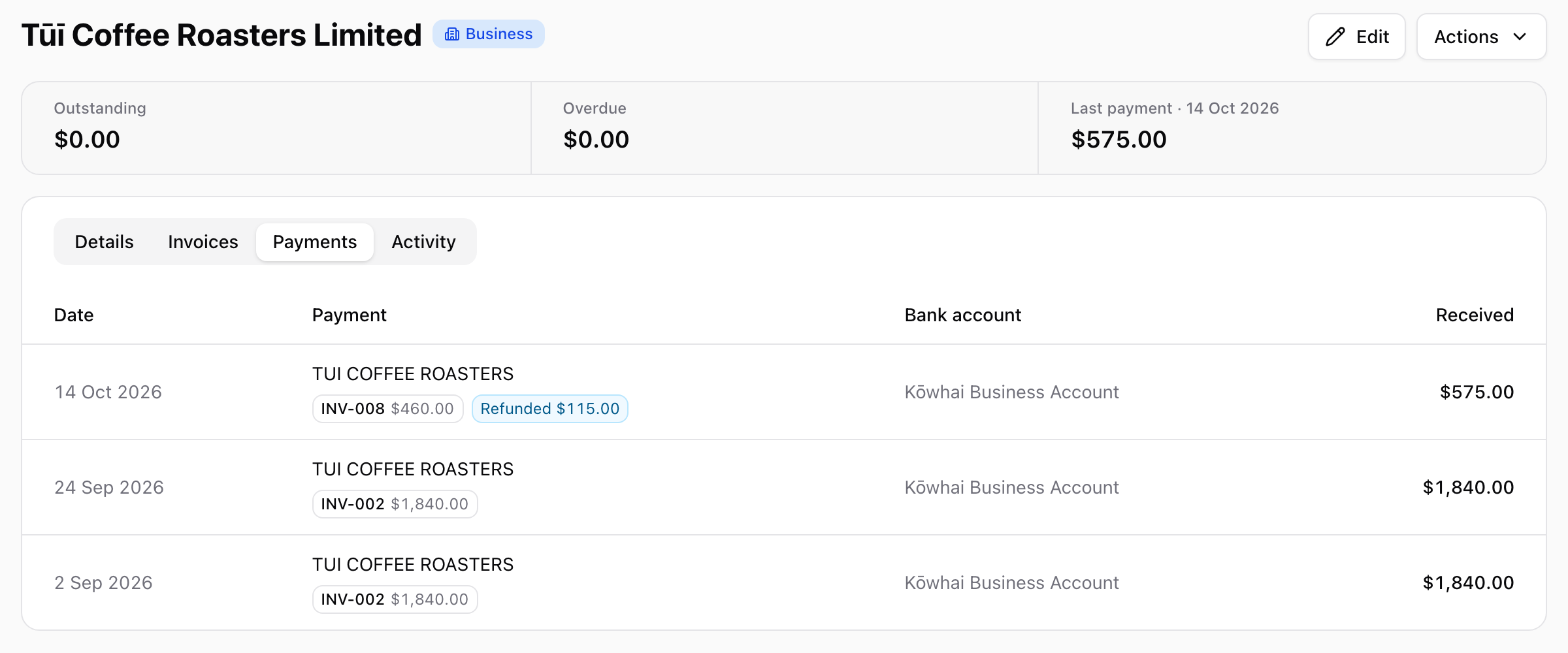
- The contact's Payments tab marks each payment that left credit, and which account it's held in if not Accounts Receivable.
- The Aged Receivables report lists it as a negative Credit row under the customer.
Applying credit to an invoice
Select Apply credit on the invoice's Payments card, or on the invoice's row in the contact's Invoices tab. The button shows how much credit is available.
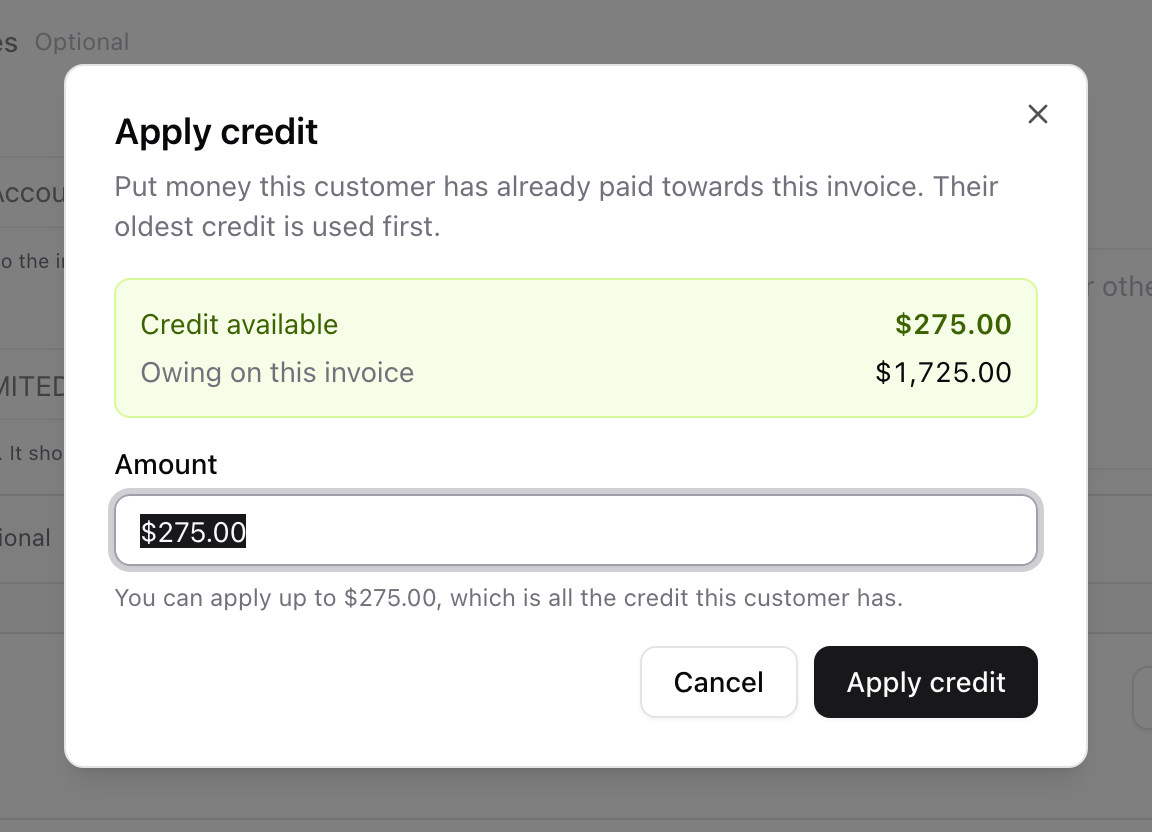
- Check Credit available and Owing on this invoice.
- Enter the Amount to apply. It starts at the most you can apply: all the credit, or what's owing if that's less.
- Select Apply credit.
The credit appears on the invoice's Payments card like a payment, and the amount due drops. The oldest credit is used first. Applying credit is dated the day you apply it, not the day the money arrived, which is also when its GST is reported.
To take credit back off an invoice, select Unapply beside it on the Payments card. It returns to the customer's credit and the invoice reopens.
You can also use credit while reconciling a new payment: if the customer pays an invoice short because they're using credit, match the payment, then apply credit for the rest.
Refunding credit
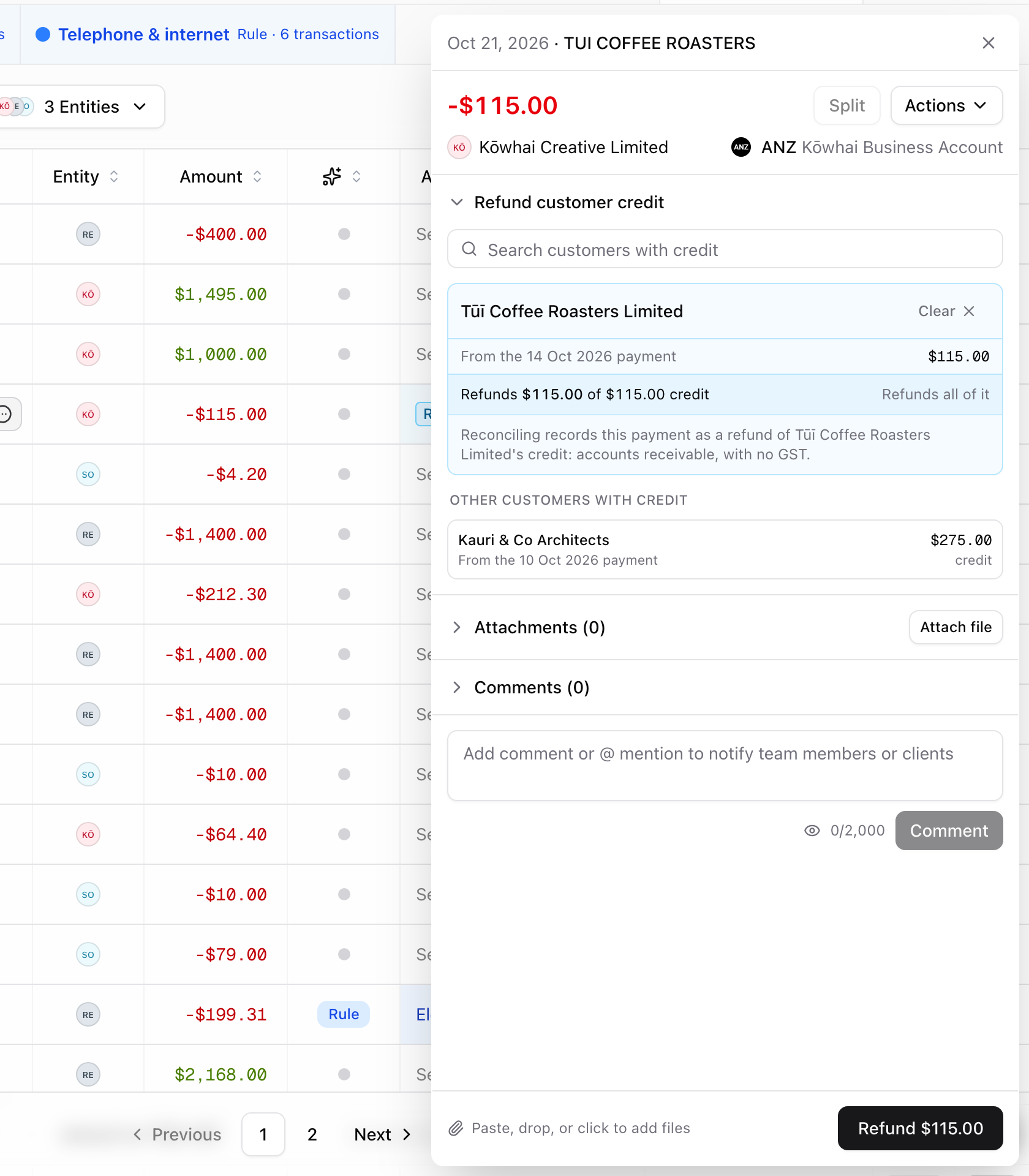
A refund is recorded from the bank transaction that paid the money back, so it's always backed by money that actually left the bank. Go to Transactions and select the outgoing transaction. The drawer opens a Refund customer credit section listing customers with credit.
- Select the customer. If the list is long, use Search customers with credit.
- Check the summary, for example Refunds $115.00 of $115.00 credit · Refunds all of it.
- Select Refund $115.00.
The refund is posted to Accounts Receivable with no GST and appears on the contact's Payments tab:
A few rules keep refunds honest:
- The refund is the whole bank transaction. It can draw on several of the customer's credits, oldest first.
- It can only use credit that arrived on or before the refund's date. Credit that came in later is listed but can't be used.
- While a refund stands, the payment it drew on can't be unmatched. Unmatch the refund first, and the credit is restored.
Questions
Is there an "Overpaid" status?
No. An invoice that was overpaid shows Paid, and the extra lives on the customer as credit. That keeps the invoice's own balance simple and lets the credit be used anywhere for that customer.
Can I refund credit without a bank transaction?
Not yet. Refunds are recorded from the money-out transaction in your bank feed. If you paid the refund in cash, ask us via 💬 and we'll help.
Can I issue a credit note?
Credit notes and write-offs are on the way. For now, credit comes from money the customer has actually paid.
Need help? Use the 💬 in-app help button to reach the Prosaic team, or email help@prosaic.works.