
How do I claim expenses in new Prosaic
Prosaic originally started as a simple tool to analyse personal bank transactions and prepare expense claims for export to CSV, journals, or Xero.
Our new product is a big step forward: a lightweight, double-entry, cash-based accounting system designed for accountants and bookkeepers. While it’s not a like-for-like rebuild of the old expenses product, it supports the same core workflows — with better accuracy, automation, and reporting.
As we prepare to sunset our legacy product, and migrate customers to our new platform, there will be a number of ways you can peform the workflow supported in our original home office expenses tool.
Option 1: Use a Single Entity for Personal + Business
This is the quickest setup if you’re happy to keep everything in one place, and bulk coding, splits and memory will make this workflow fast, but it doesn't allow clean separation.
How it works:
-
Connect both personal and business bank accounts to a single entity.
Use splits and bulk workflows to separate:
- Business expenses
- Personal spend
- Drawings
Pros:
- Fastest to set up
- One place to reconcile everything
- Works well with bulk actions and memory
Things to be aware of:
- Can get messy over time
- Harder to reason about balances
- Not ideal if you want clean reporting or separation between personal and business activity
Option 2: Transfer Expenses Between Personal and Business Entities
If you already use Prosaic to prepare GST returns, you can claim expenses directly between a Personal and business entity.
How it works:
- Create two separate entities, one for business and one for personal
-
Connect personal bank accounts to a personal entity, keep only bank accounts for taxable activitie connected to any trading entity (eg business, rental property, sole trader)
When you identify a claimable expense in the personal entity, you can transfer it to the business entity.
Prosaic will automatically:
- Create the journal in the business general ledger
- Record a payable on the balance sheet
This gives you proper double-entry tracking and visibility over what’s owed between the personal and business entities.
Watch the video below for a demo of how you can use Prosaic's multi entity features across different entity and bank account types
Option 2: Use a Personal Entity Only to Claim & Export
If you're using an external ledger, or want to do bulk expense claims at year end, this option works best
How it works:
-
Connect your clients personal bank accounts to a dedicated “Personal” entity.
Use a simple chart of accounts (you can even limit it to just expenses).
Code:
- Claimable items to expense accounts
- Personal portions to Drawings
Once you split a transaction once, Prosaic remembers that split and applies it automatically next time. The same goes for recurring expenses and drawings, which makes future claims much faster.
Export options:
- Export a trial balance as a journal CSV
- If you use mapped codes in your chart, these will carry through into the export for easy import into Xero.
- If you’re using a Prosaic cashbook for your business, you can import the journal directly into Prosaic instead.
This same workflow applies if you use a single business or sole trader entity, you can add business and personal accounts into one entity and code any personal expenses to drawings, as you would in other accounting systems.
However running a separate ledger for personal bank transactions helps to keep your clients primary trading entity much cleaner. You can even transfer individual transactions between, see below
Option 3: Create an Expense Report (Coming Early in the New Financial Year)
This option is closer to the original Prosaic expenses workflow and will be available early in the new financial year.
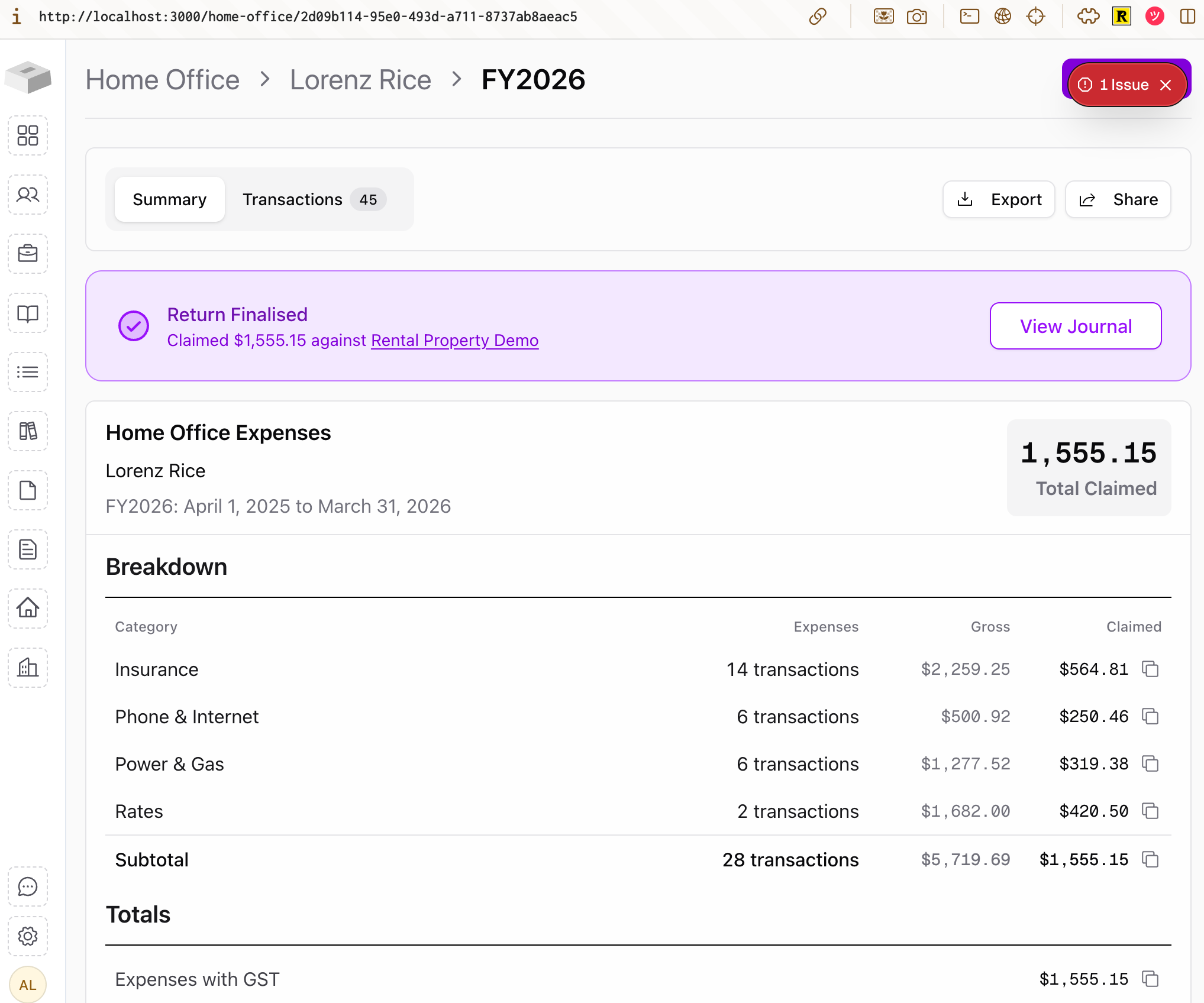
How it will work:
- Select one or more connected bank accounts.
- Prosaic analyses transactions and suggests claimable items.
- Review, publish, and export an expense report.
- Run this every two months, quarterly, or at year-end.
- Save and download reports for your records or your accountant.
Best if you prefer a periodic “expense claim” workflow rather than ongoing reconciliation.
What else should I know?
The new Prosaic gives you:
- Smarter memory of splits and coding
- Proper balance sheet tracking
- Transaction splitting
- GST support
- Better auditability and reporting
Some things work a little differently to the old expenses product:
- We don’t currently have a direct Xero integration planned
- You can export journals to CSV for import into Xero
- If Xero sync becomes critical for users, we can prioritise it on the roadmap