
What's New - July 2026
July’s updates focused on giving firms more flexibility in how they track and report on client activity, making it easier for accountants and clients to work together, improving invoicing, and speeding up everyday transaction coding.
You can now use dimensions to track areas such as properties, branches, jobs and departments, keep client questions attached to the transactions and GST returns they relate to, manage invoices through a more complete workflow, and work faster with a more spreadsheet-like transaction coding screen.
Here’s what’s new this month 👇
📊 Track properties, departments and more, with dimensions
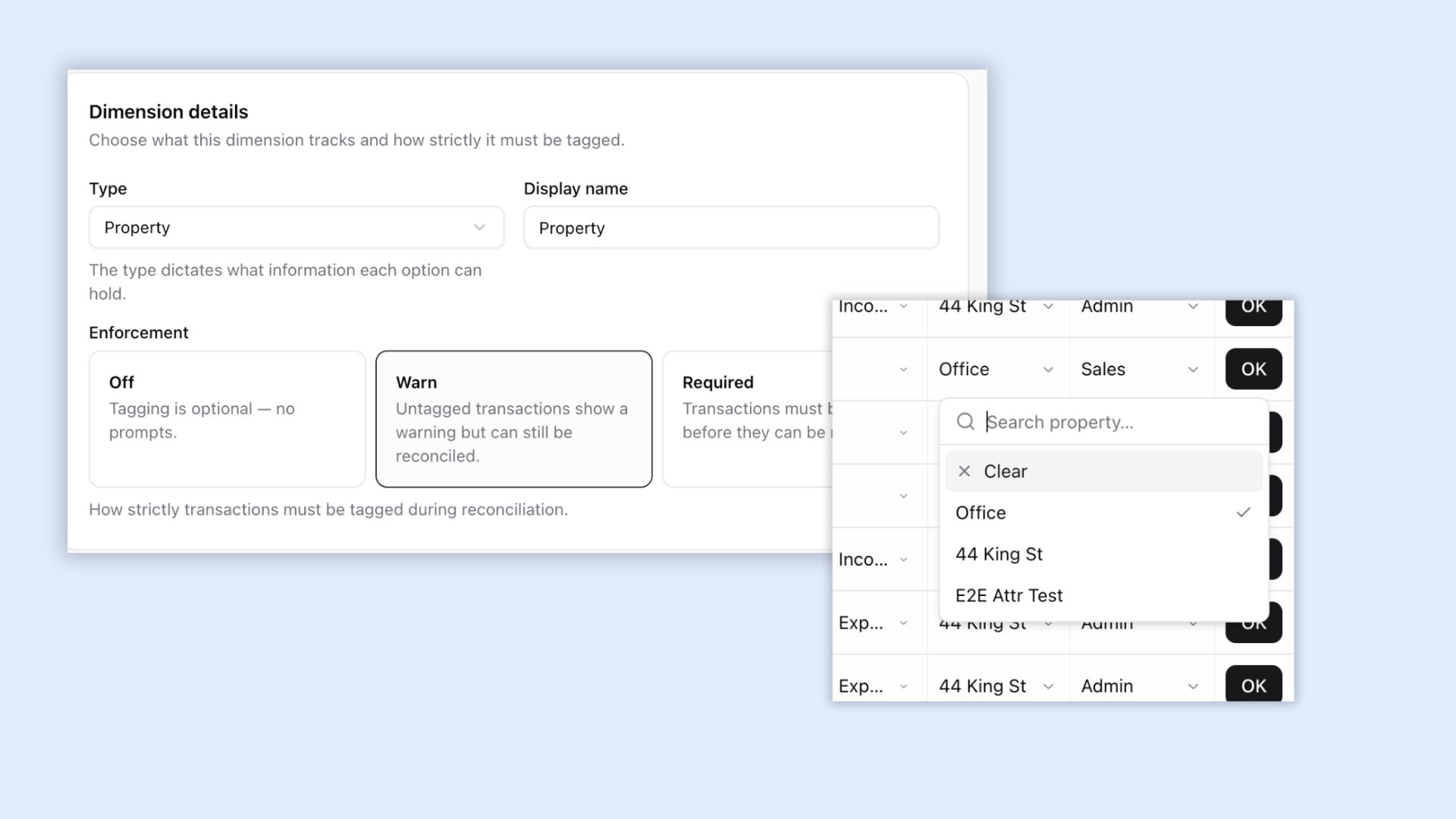
Dimensions add a second layer of coding alongside the chart of accounts, letting you track properties, branches, departments, projects and more without creating separate entities. Similar to Tracking Categories in Xero, they can be applied directly to transactions and journal lines, then used to filter reports or split a Profit & Loss into separate columns.
You can now:
- Create up to five dimensions per entity
- Tag transactions, splits and manual journal lines
- Apply multiple dimensions to the same transaction
- Filter Profit & Loss, Trial Balance and Balance Sheet reports
- Segment a Profit & Loss by dimension
- Create reusable workspace templates and apply them across clients
Dimensions can be optional, show a warning, or be required before reconciliation, helping keep segmented reporting complete.
💬 Transaction comments and client queries
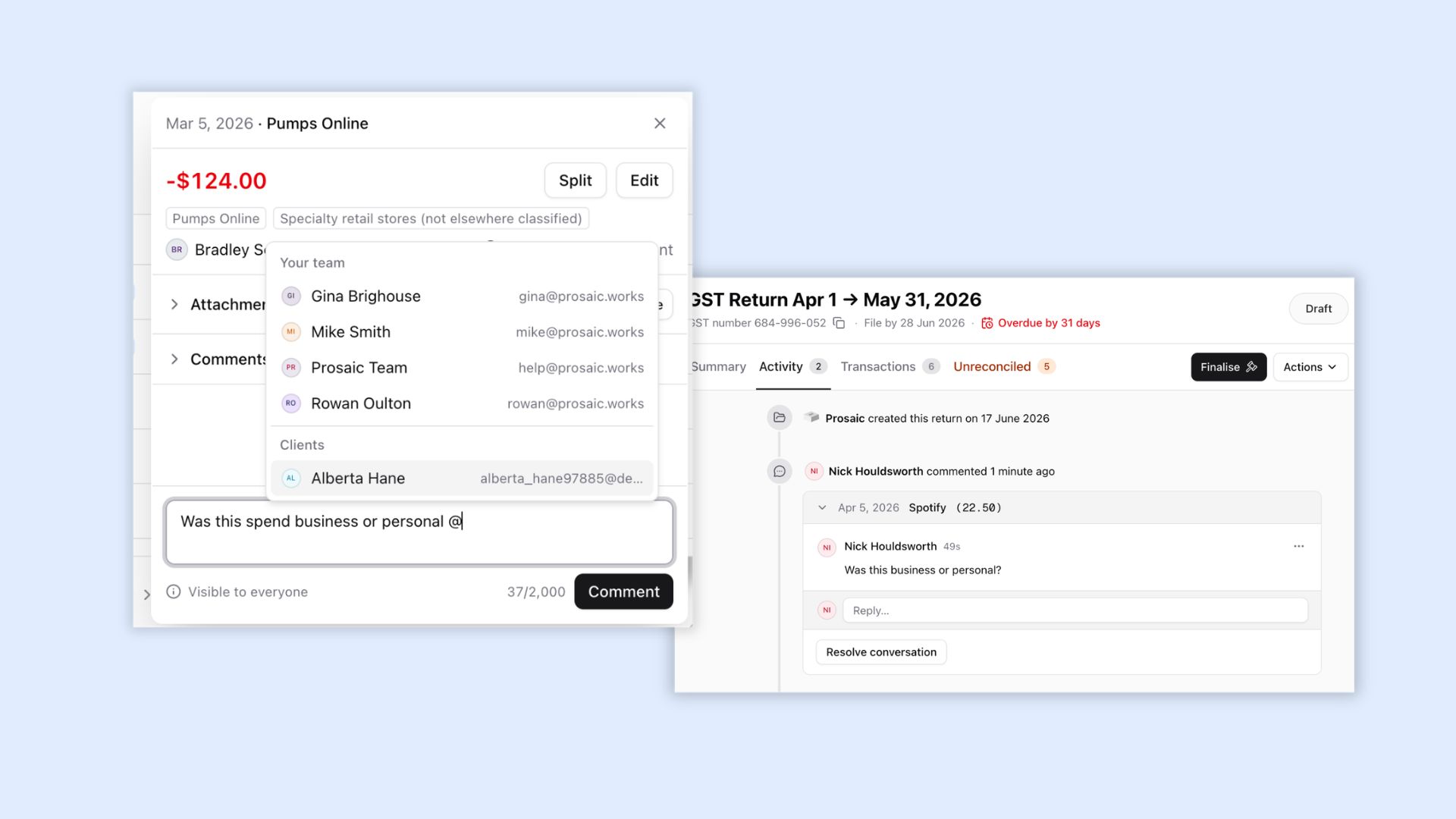
You can now ask questions and have conversations directly against individual bank transactions and GST returns, keeping the full discussion attached to the work rather than spread across email.
You can now:
- Comment on transactions or an entire GST return
- Mention clients or team members using @mentions (with email notifications)
- Mark conversations as open or resolved
- See unread activity and receive email notifications
- View comments alongside the GST return activity history
- Include GST return comments in PDF, Excel and CSV exports
This creates a clearer client-query workflow, helping firms reduce back-and-forth and keep work moving.
🧾 A more complete invoicing workflow
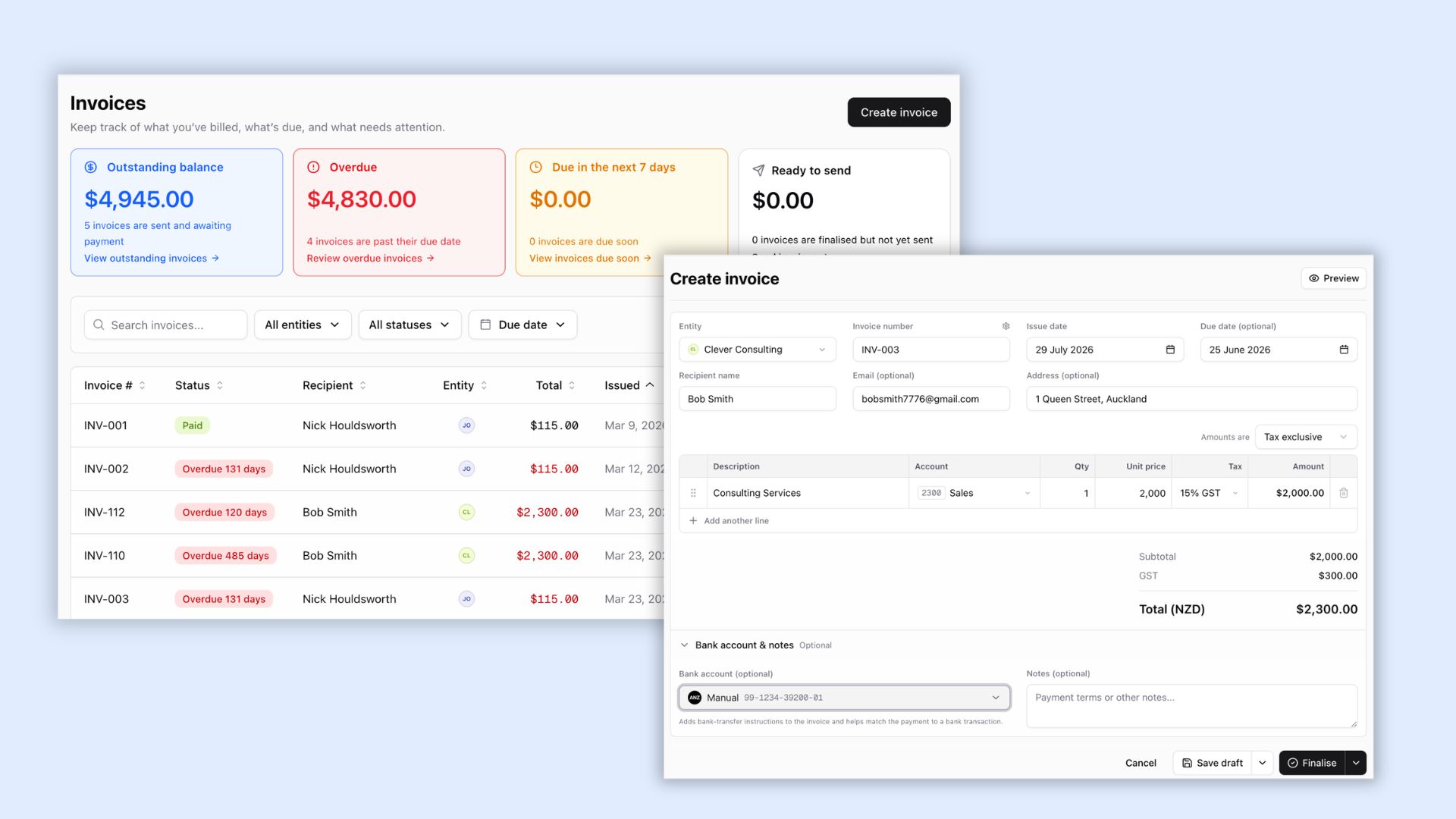
Invoices now has its own dedicated area in Prosaic, making it easier to create, track, code and reconcile invoices in one place.
We’ve added:
- A new Invoices section in the main navigation
- Clearer statuses, including Draft, Ready to send, Awaiting payment, Overdue, Paid and Voided
- Summary cards for outstanding and overdue invoices
- Account and tax coding at line-item level
- Faster, spreadsheet-style invoice entry
- Automatic status updates when payments are reconciled or unreconciled
Together, these updates create a clearer workflow from invoice creation through to payment. We’re also continuing to build out more features for invoices, contacts and bills.
⚡ Faster transaction coding
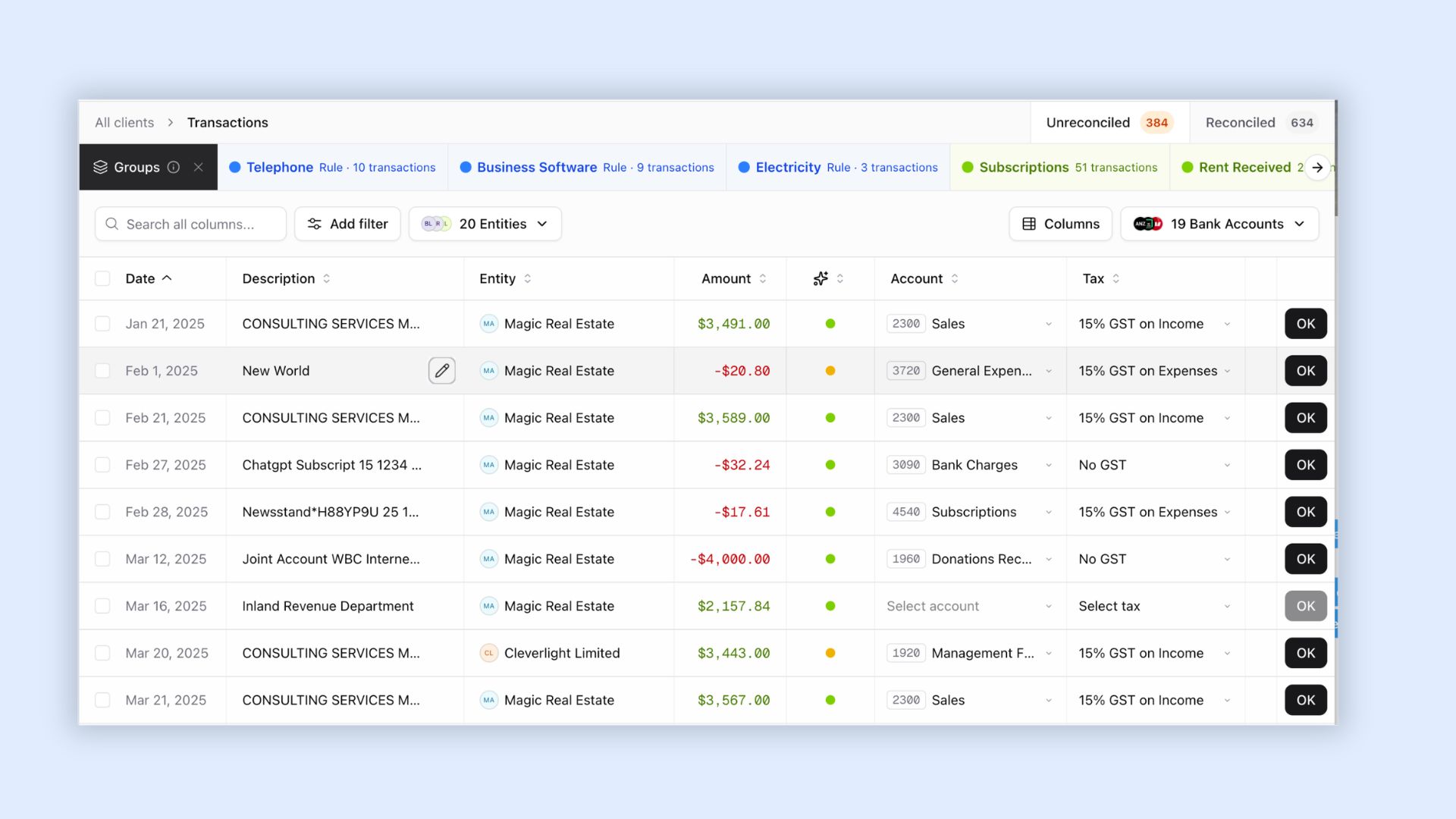
We’ve improved the transaction coding screen to help accountants reconcile work faster. The grid now works more like a spreadsheet, with customisable columns, keyboard navigation and quicker bulk updates.
You can now:
- Move between fields using Tab, Shift + Tab and arrow keys
- Search for accounts or tax rates simply by typing
- Reconcile transactions with keyboard shortcuts
- Choose which columns are displayed
- Preview, attach or remove matched files from the transaction row
- Attach files before reconciliation
We’ve also reduced the amount of data loaded, improving performance for larger workspaces.
✨ Other improvements
We’ve also shipped a number of improvements across Prosaic:
- More accurate AI suggestions
- We’ve redesigned the AI suggestions model used in bank reconciliation, significantly improving the accuracy of suggested accounts and tax rates. It now considers merchant details, previous coding, account usage and the entity’s chart of accounts.
- More flexible GST return sharing
- GST returns can now be shared as PDF, CSV or Excel files. You can include the full return or select only the sections you need, such as uncoded transactions or supporting statements. Grouping and display have also been improved across each format.
- Comprehensive chart templates by default
- Workspaces now include ready-to-use templates for Companies, Trusts, Partnerships and Sole Traders, plus a simplified Standard NZ business template. Charts can be previewed or edited during entity setup, making new clients faster to configure.
- A more helpful workspace dashboard
- The workspace dashboard now includes clearer onboarding steps and direct links to relevant help guides. These are available to all team members, helping new users get set up without relying on a workspace administrator.
Thank you to everyone who continues to send feedback and feature requests. Every release is shaped by conversations with firms using Prosaic every day, and we’re stoked to keep building alongside you.