
What's New - June 2026
June updates focused on reporting, improving bank connections, and the client experience
We've added new packs for every NZ entity type, added a directory to every entity which can be pre-filled from NZBN, redesigned the client experience, and improved visibility of client bank connection status.
Here's what's new this month 👇
📦 Report packs & financial reports
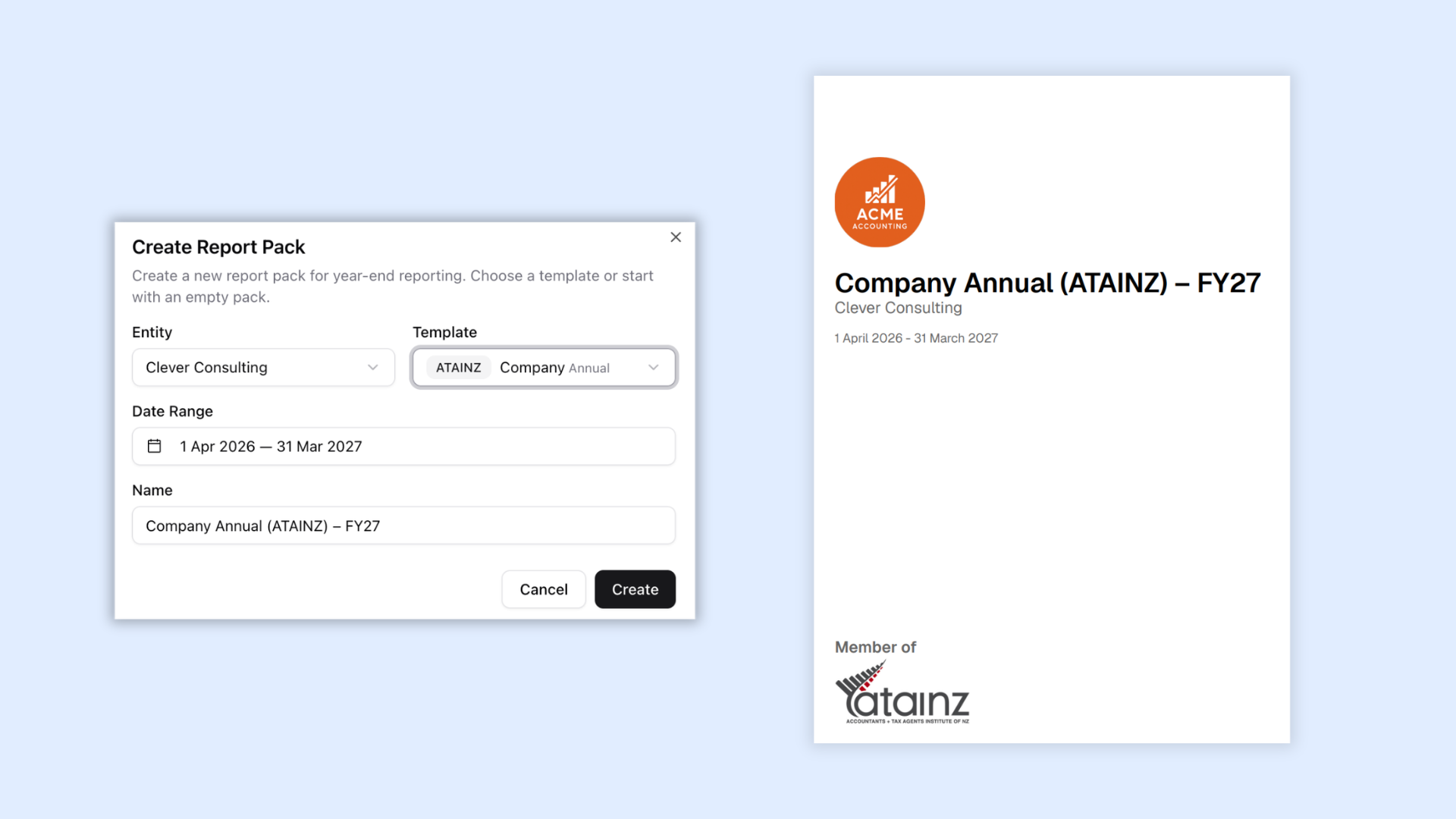
Annual reporting has received a major upgrade, making it easier to produce professional, NZ-compliant financial statements.
We've added:
- New annual report templates aligned to ATAINZ reporting standards for Sole Traders, Partnerships, Trusts and Companies, including ATAINZ logo branding
- Additional SPFR templates for Partnerships and Trusts
- Automatic directory pre-fill with directors, shareholders, addresses, contact details etc from your a new directory tab under Entities
- An (optional) Director's Solvency Certificate in company report packs
- Improved Profit & Loss layouts, including a new Operating P&L
🏢 Entity directory & NZBN
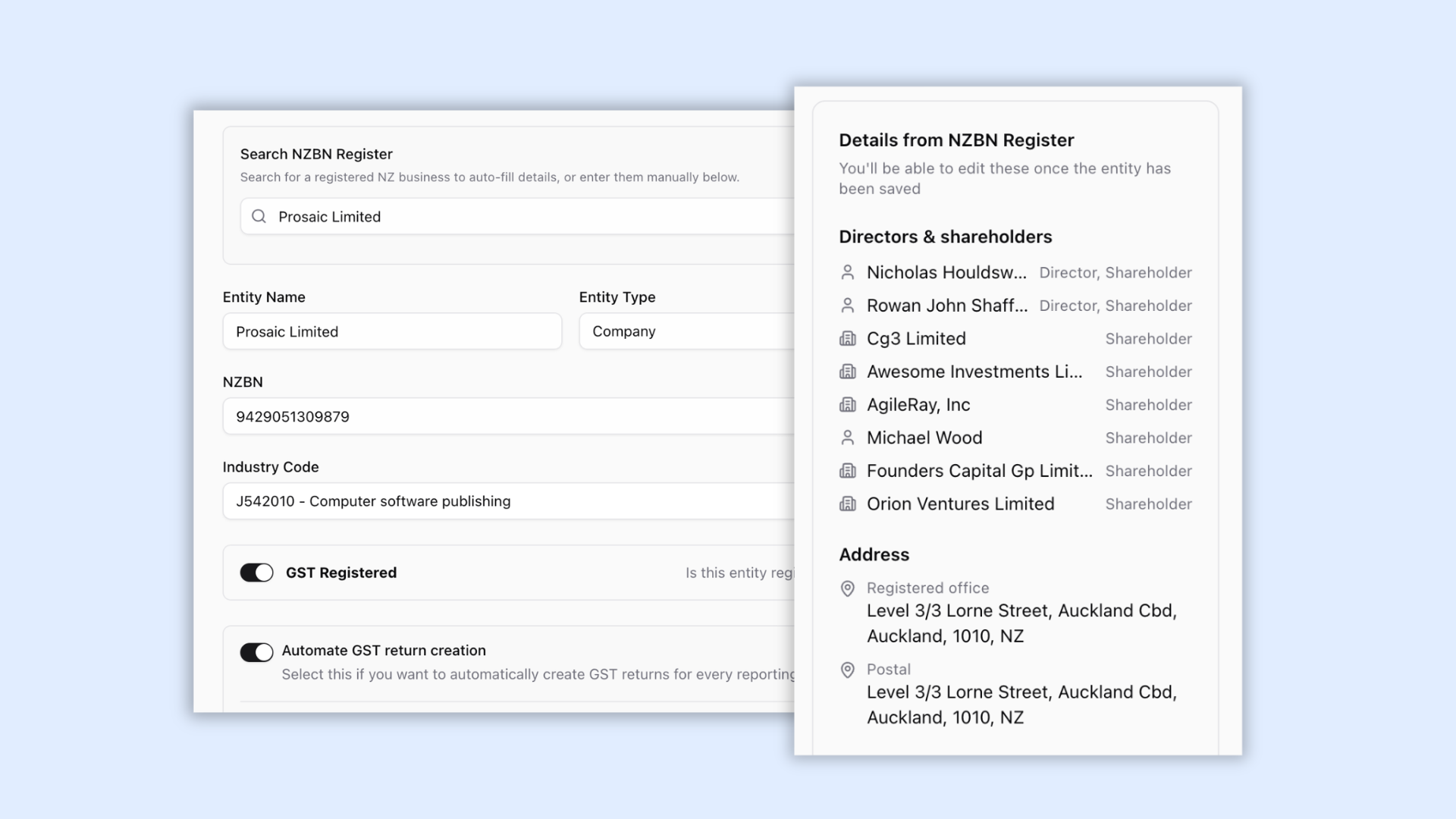
We've introduced a new Directory tab for every entity, making it easier to manage business information and reducing the amount of information you need to enter manually.
You can now:
- Automatically import directors, shareholders, trading names, registered addresses and company details, when you create an entity using the NZBN lookup
- Auto-fill report packs and other workflows from your stored entity information
🏦 Smarter bank connections
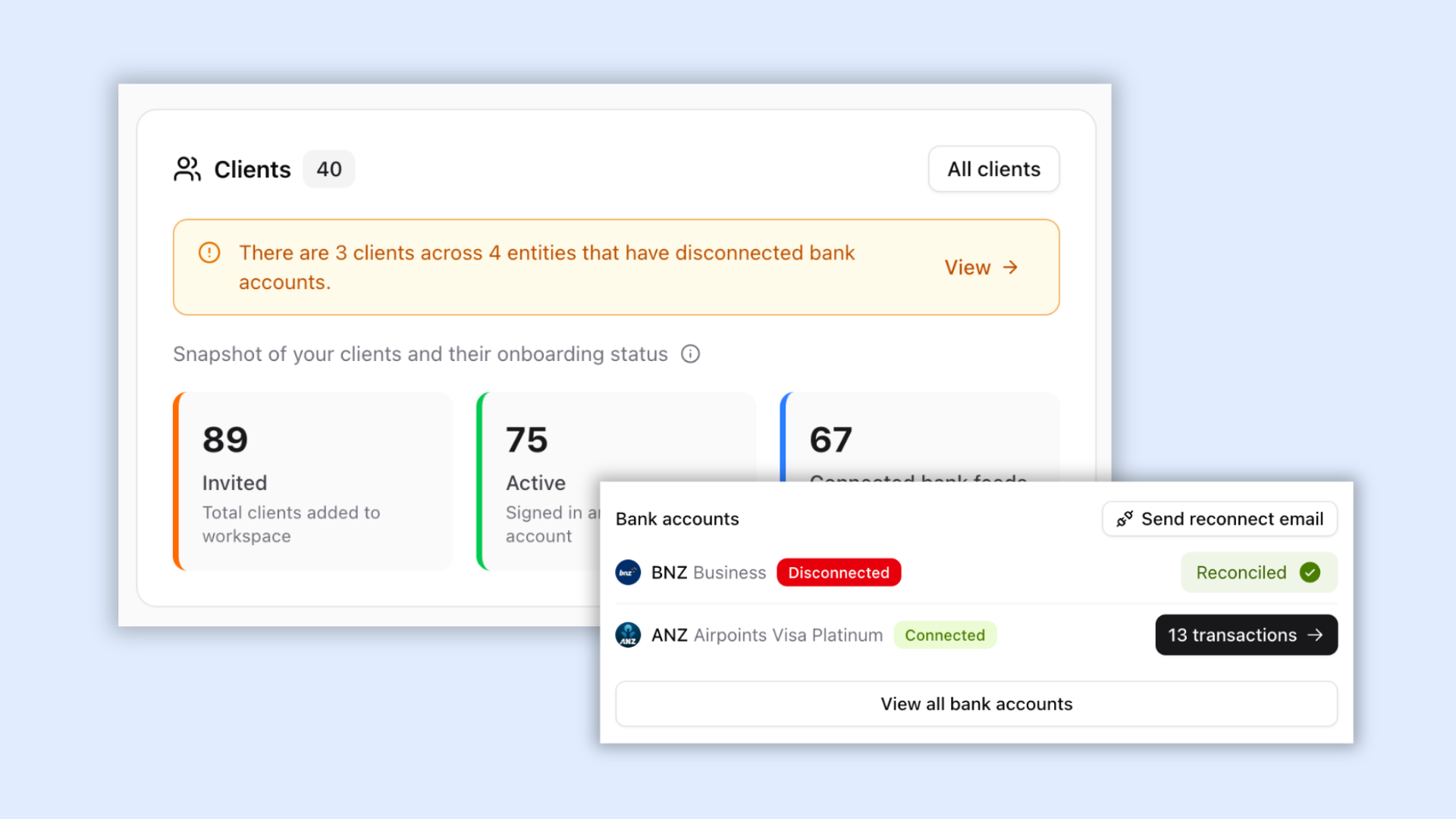
We've continued improving bank connections to make them easier to manage across your entire practice.
You can now:
- See workspace-wide alerts when client bank feeds become disconnected
- Instantly message clients to reconnect with a single click
- Resume synchronisation immediately after reconnecting
- Benefit from more reliable syncing that avoids active bank feeds being disconnected incorrectly
Together, these improvements make it much easier to keep client bank feeds healthy and transactions flowing.
👤 New client dashboard
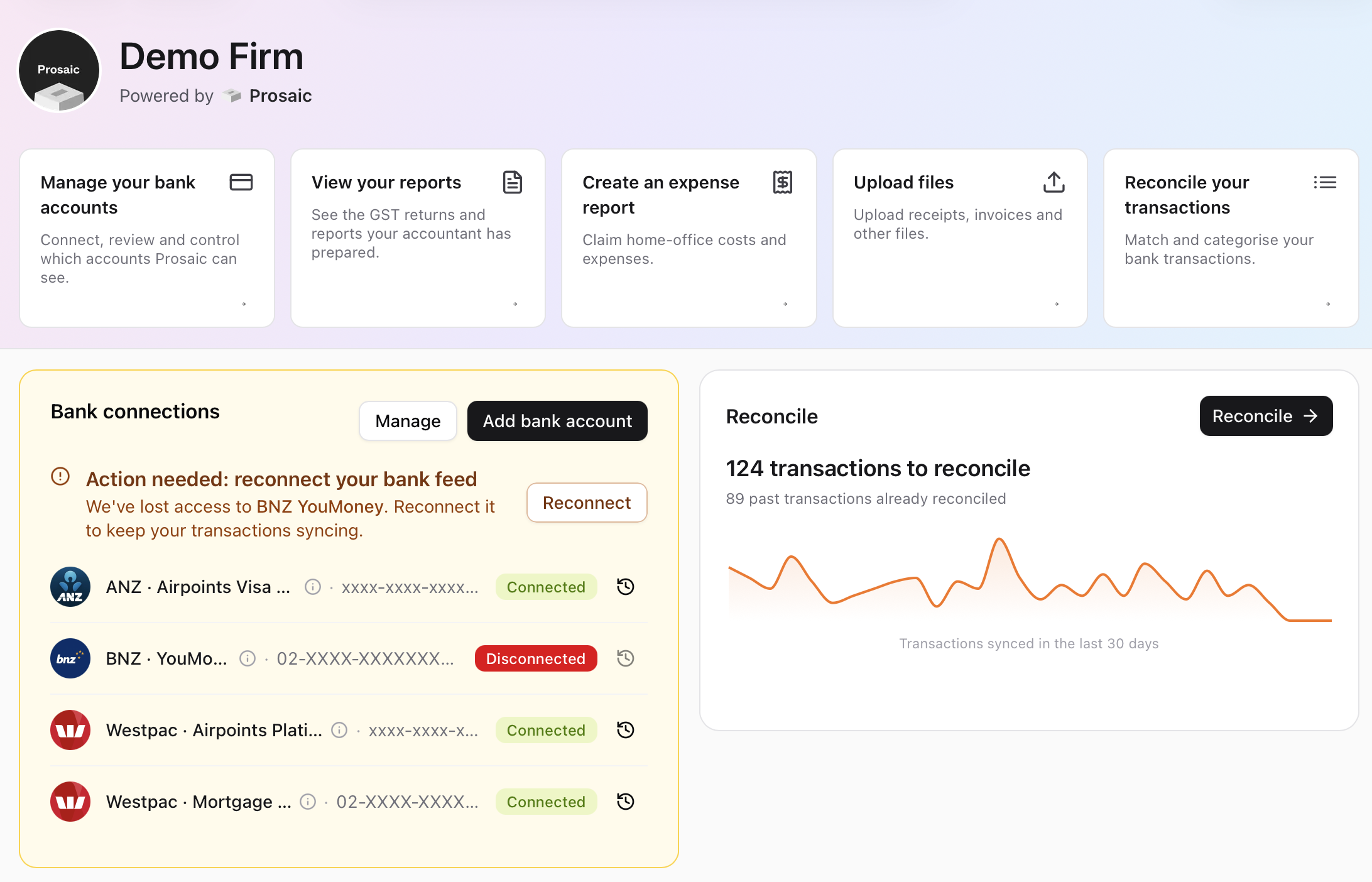
We've completely redesigned the client experience with a new dashboard that gives clients everything they need in one place.
Clients can now more easily:
- Connect and manage their bank accounts
- View GST returns and reports prepared by their accountant
- Create expense reports from connected personal bank accounts
- Upload invoices, receipts and other files
- Reconcile their own transactions (standard users only)
The new dashboard gives clients a much clearer view of their financial activity while making collaboration with their accountant simpler than ever.
✨ Other improvements
We've also shipped a range of improvements across the platform, including:
- Instantly create bank rules from filters applied while reconciling transactions
- Bulk code or split transactions between entities
- Choose which sections to include when exporting GST returns (Summary, Transactions and Unreconciled)
- Amend GST returns after they've been filed with IRD
- Edit invoices after they've been created and regenerate PDFs
- Improved invoice numbering and editing experience
- Edit names and descriptions on active fixed assets
Thank you to everyone who continues to send feedback and feature requests. Every release is shaped by conversations with firms using Prosaic every day, and we're stoked to keep building alongside you.