
Accounting for GST on Imports
Prosaic does not currently include a dedicated GST on Imports tax type. Instead, GST paid on imports should be recorded directly against the GST account and then included as a manual Credit Adjustment in your GST return.
This approach ensures both your GST return and GST control account remain accurate.
Step 1: Reconcile or journal the payment
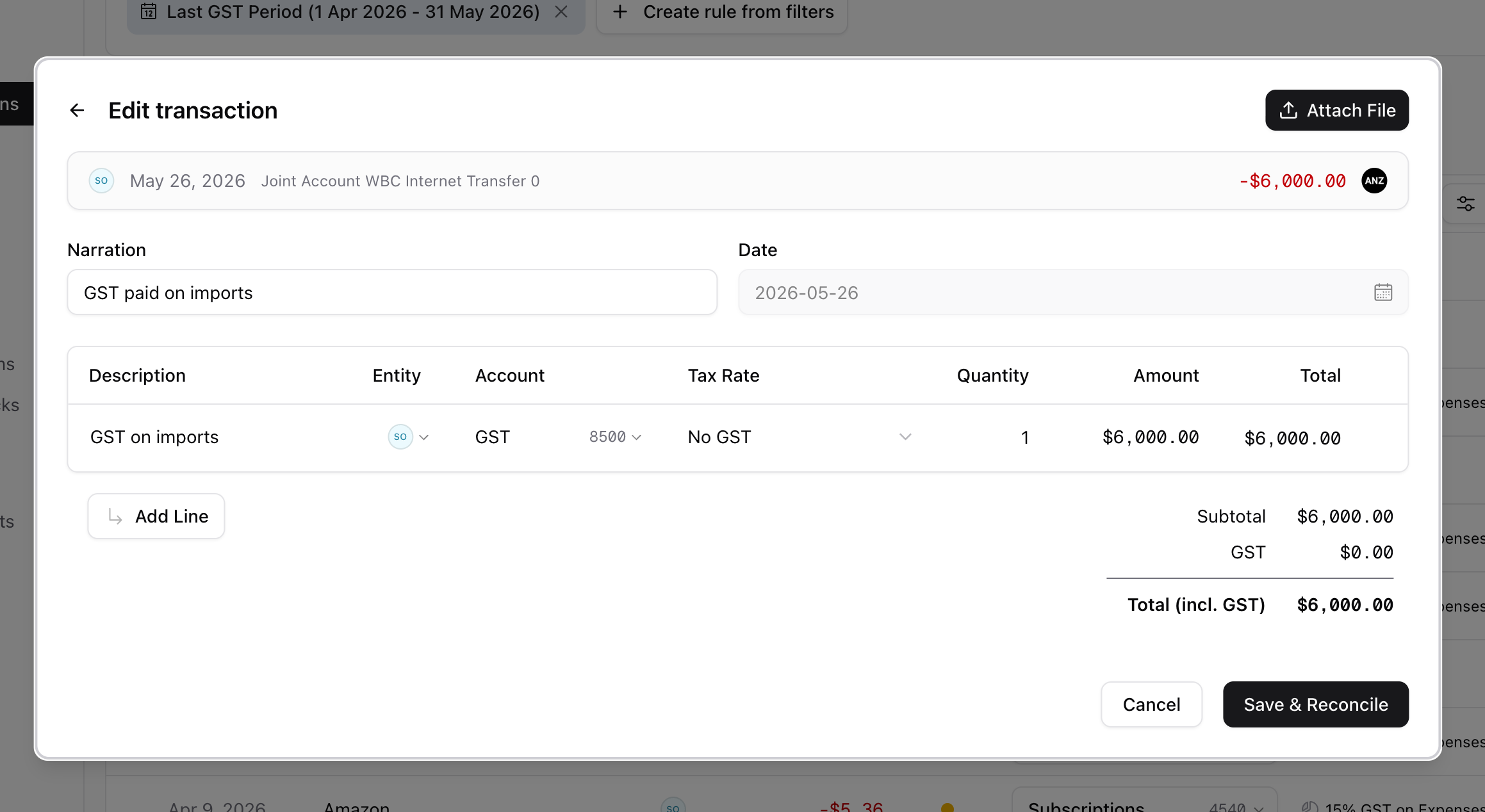
When recording GST paid on imports:
- Account: GST
- Tax Rate: No GST
- Amount: GST paid to Customs or through deferred GST accounting
For example:
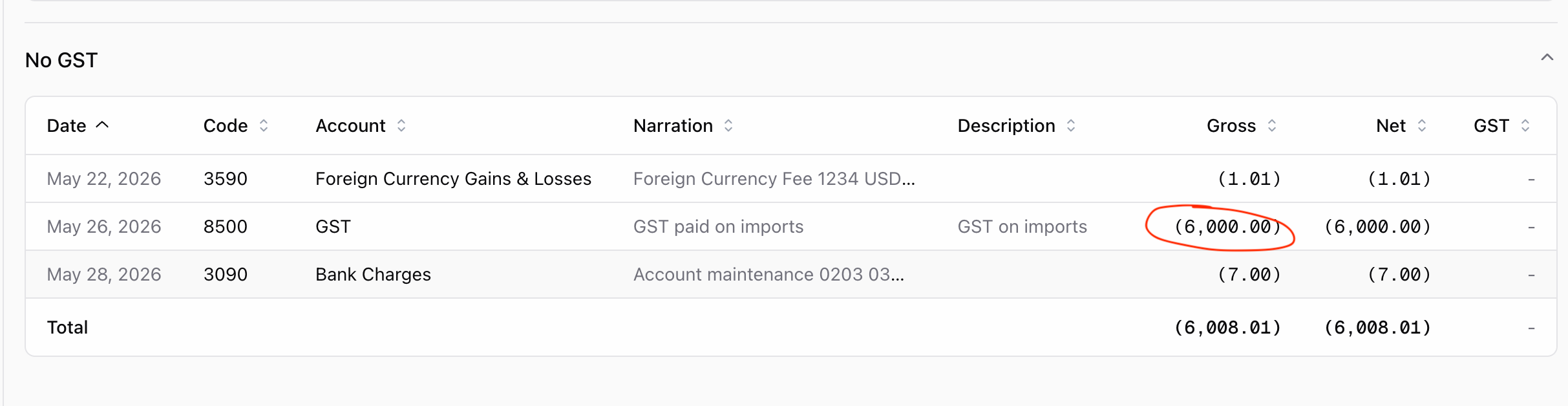
The transaction will appear in the No GST section of the GST report.
Step 2: Enter a Credit Adjustment
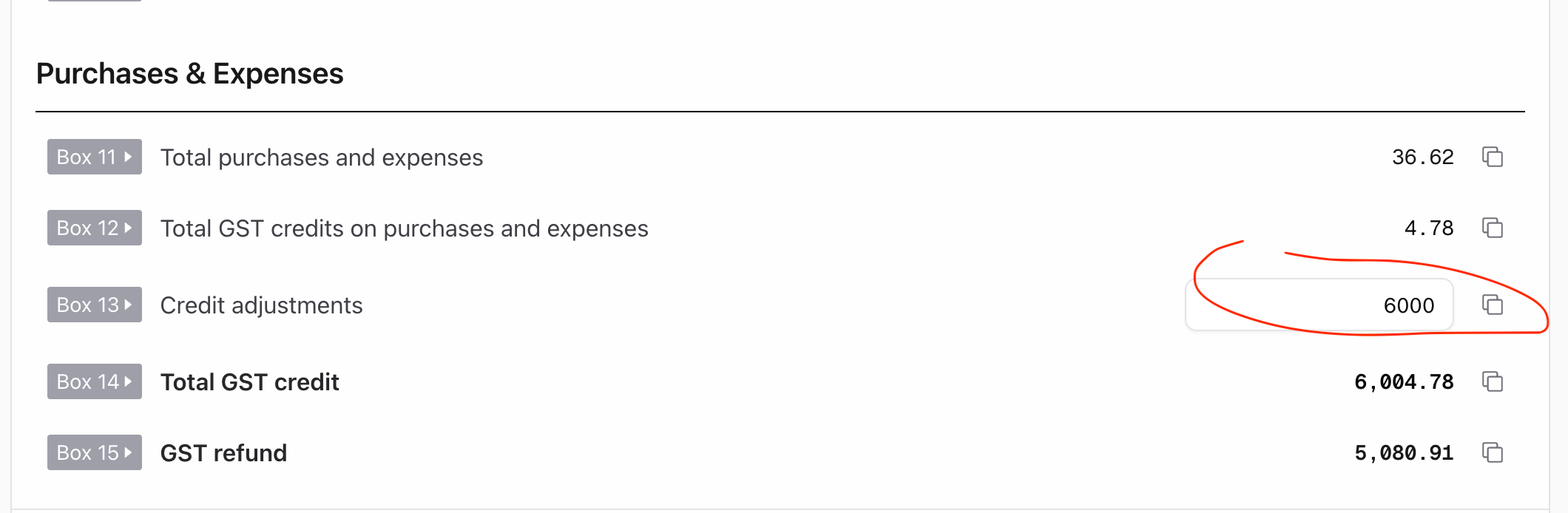
When preparing your GST return, enter the GST paid on imports as a Credit Adjustment (Box 13).
For example:
Result
This treatment ensures:
- The GST control account reflects the GST paid.
- The GST amount is correctly claimed in the GST return.
- The transaction remains visible and traceable within the GST report.
- The GST return and general ledger remain in balance.
Example
A business pays $6,000 GST to Customs on imported goods.
- Reconcile the $6,000 payment to the GST account using No GST.
- Enter a $6,000 Credit Adjustment in Box 13 of the GST return.
The GST return will include the $6,000 GST credit, while the GST account accurately reflects the amount paid.